

If your new smart thermostat asks for a C wire and you don’t have one, you still have four ways forward: use a spare wire already in your wall, run a new five-wire cable, add a C wire adapter at the furnace control board, or choose a thermostat that runs on its own battery. The right one depends on your HVAC system, and the work happens at live low-voltage terminals, so it is best handled by a professional. At Tri-County Services Electric & Plumbing, we help Northeast Ohio homeowners sort this out every season. To talk it through, call our office at (440) 253-0332.
TL;DR
- The C wire (common wire) gives a smart thermostat a steady 24-volt power supply, so its Wi-Fi and screen don’t depend on a battery.
- No C wire doesn’t mean no smart thermostat. Your options are a spare wire in the cable, a new cable, a C wire adapter, or a battery-powered model.
- Adapters are typically about $20 to $40, while a smart thermostat installation averages about $250 and can climb to around $500 if a new wire must be run.
- Wire colors are not a standard, so the wire on the terminal marked C is your C wire, whatever its color.
- Call (440) 253-0332 and a Tri-County Services Electric & Plumbing professional will check your wiring and set it up safely.
Table of Contents
- What a C wire does for your thermostat
- How to tell whether you already have a C wire
- Your four C wire options compared
- What it costs to add a C wire
- Which smart thermostats need a C wire
- Why a professional should handle C wire work
- Book a thermostat wiring check with Tri-County Services Electric & Plumbing
- Our perspective
- FAQ
- Sources
What a C wire does for your thermostat
The “C” stands for common. It completes a circuit between your HVAC system’s transformer and the thermostat, so the thermostat receives constant power. The Spruce describes the C wire as a vital, preferred feature of most smart thermostats because it delivers a consistent flow of 24 volts AC.
Older programmable thermostats can run for a long time on a couple of AA batteries. Smart thermostats can’t. ENERGY STAR explains that they need more consistent, reliable power for things like holding a Wi-Fi connection and lighting a touch screen, which is why the C wire is the preferred power source.
When the C wire is missing, thermostats sometimes try to borrow power from the heating or cooling wires. Symptoms homeowners describe include a screen that dims or reboots, a thermostat that drops off Wi-Fi, or a system that cycles oddly. If any of that sounds familiar, a wiring check is the right first step, not another thermostat.
How to tell whether you already have a C wire
Many homes already have one and nobody knows it. The wire may be tucked back in the wall, taped off, or connected only at the furnace.
Color is a clue, not proof
The Home Depot notes the C wire is usually blue but may also be black, brown, or purple. Honeywell Home goes further: its wiring guide says there is no standard color for each function and that wires should be identified by the terminal they connect to, never by color.
In practice, the C wire is the one landed on the terminal marked C at the thermostat base or at the furnace control board. A blue wire on the wrong terminal is still not a C wire, and a wire of some other color on the C terminal is.
What your wire count suggests
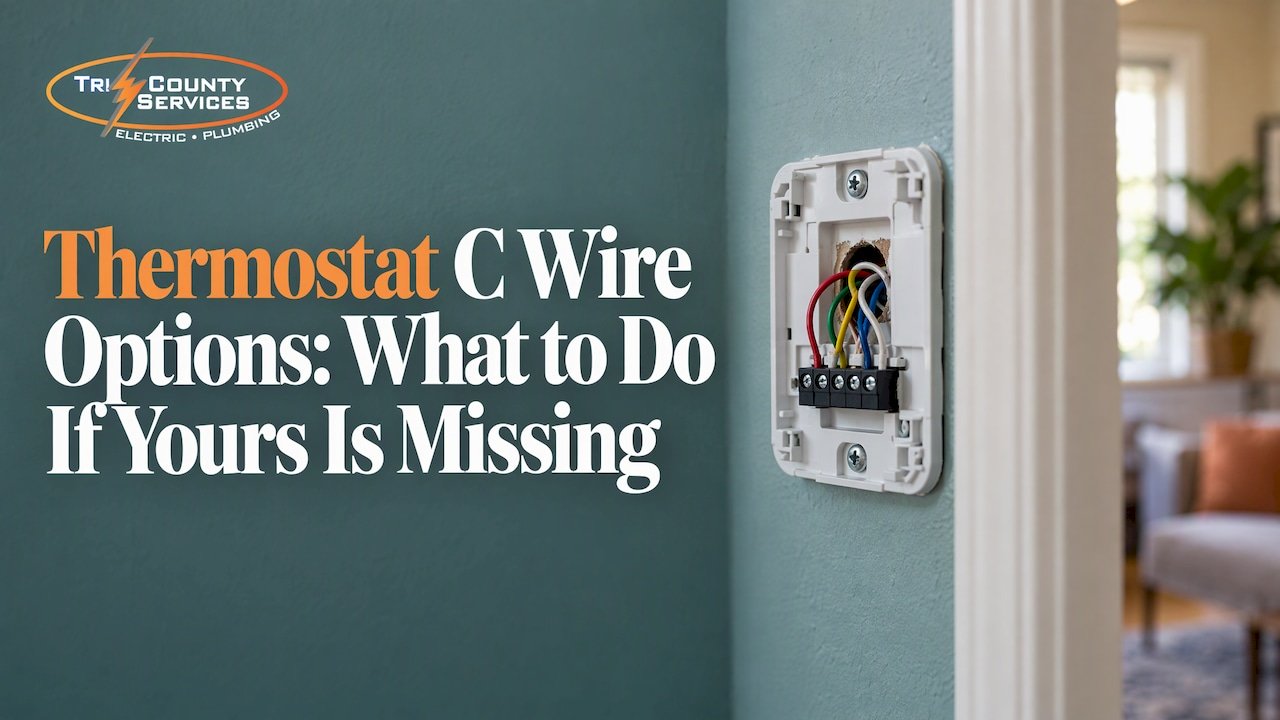
A full smart-thermostat setup uses five wires, according to This Old House: red for power, white for heating, yellow for cooling, green for the fan, and blue for the common wire. The Spruce adds that the usual cable is 18/5, meaning five thin 18-gauge wires bundled together.
| What you find at the thermostat | What it usually means |
|---|---|
| Five or more wires, one unused | A spare wire may be available to use as the C wire, if it is connected at the furnace end |
| Four wires (R, W, Y, G) | Possibly a spare in the cable, or a cable with a wire cut short and tucked away |
| Two wires (R and W) | Common on heat-only systems; a new cable or a battery-powered thermostat is typically the route |
| A C wire on the terminal already | You’re set for most smart thermostats |
This is also where mistakes happen. Spare wires can be dead at the other end, and the terminal labels on a furnace board differ from one manufacturer to the next. A professional can test the cable and confirm the connection in minutes. For more on how thermostat wiring is laid out, see our thermostat wiring guide.
Your four C wire options compared
| Option | Typical cost | Best for | Things to know |
|---|---|---|---|
| Use a spare wire in the existing cable | Often just labor | Homes with a 4 or 5-wire cable and an unused wire | The wire must be connected at both ends to the right terminals |
| Run a new five-wire cable | Labor of $70 to $110 per hour, plus wire | Homes with two-wire or short cables, or when you want a permanent fix | Most reliable long-term, most work |
| Add a C wire adapter at the HVAC control board | Usually $20 to $40 for the part | Systems that can’t take a new cable easily | Must match the thermostat brand and your system type |
| Choose a thermostat with its own battery | Cost of the thermostat | Systems where a C wire isn’t practical | Fewer models to pick from |
The Spruce lists these same three workarounds (new cable, battery-powered thermostat, adapter) and gives the $20 to $40 adapter range and the $70 to $110 hourly labor figure for running a new wire.
Option 1: Use a spare wire you already have
This is the cheapest fix and the one we look for first. If the cable running to your thermostat holds a wire that isn’t in use, it can often be repurposed as the C wire. That means connecting it to the C terminal at the thermostat and to the common terminal on the furnace or air handler control board.
The catch is the furnace end. The wire has to land on the correct terminal, and the system’s power has to be off while that happens. That is a job for someone who works with HVAC control boards regularly, not a trial-and-error fix on a Saturday afternoon.

Option 2: Run a new five-wire cable
If the cable in your wall has too few conductors, a new one can be run from the HVAC equipment to the thermostat location. It is the most permanent answer and it opens the door to any smart thermostat on the market. It is also the most labor-intensive, particularly in finished walls, which many Northeast Ohio homes have after decades of renovation.
Because we’re electricians who do wiring all day, routing a new low-voltage cable cleanly, keeping it away from higher-voltage lines, and labeling both ends is the kind of work we’re set up for.
Option 3: Add a C wire adapter
An adapter installs at the HVAC unit’s control board and creates a C connection from the wires you already have. The Spruce puts these at roughly $20 to $40. Two examples show how specific they are to brand and system:
- The ecobee Power Extender Kit is listed at $24.99 at The Home Depot. It is designed exclusively for ecobee smart thermostats, installs at the furnace control board, and works with 24 VAC systems only. It isn’t compatible with millivolt, high-voltage, dual-transformer, fan-coil, or communicating units.
- Google’s Nest Power Connector gives a stable power source to the Nest Thermostat, Nest Thermostat E, and the 3rd generation Nest Learning Thermostat, again on 24 VAC systems only. Google also warns that some third-party C wire adapters can cause problems or damage the thermostat.
That last point is why we choose adapters carefully. The wrong one can harm a thermostat that costs more than the repair would have.
Option 4: Pick a thermostat that doesn’t need a C wire
The Spruce notes that some thermostats include onboard lithium-ion batteries and don’t require a C wire. ENERGY STAR makes a similar point: lacking a C wire doesn’t necessarily rule out a smart thermostat, but it will likely narrow the models and brands that work in your home or call for an adapter. If you’re still shopping, it helps to settle the wiring question before you buy.
What it costs to add a C wire
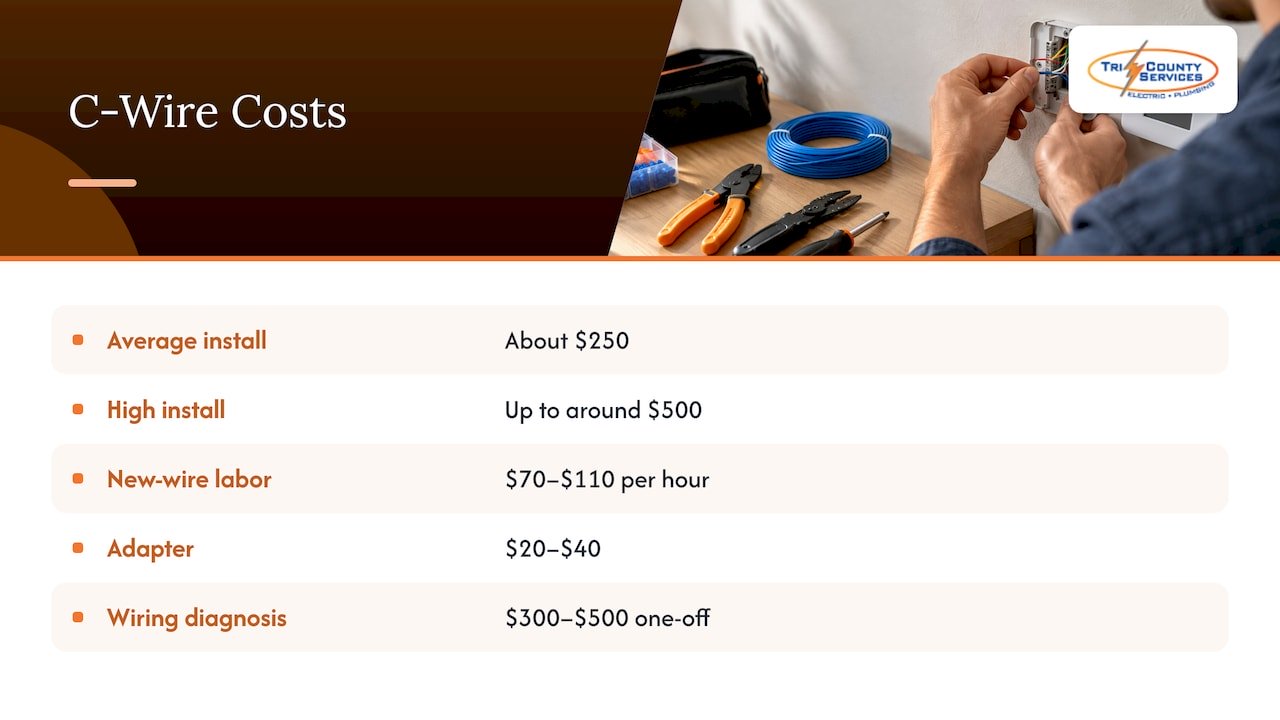
The Spruce puts the average smart thermostat installation at about $250, ranging up to around $500, and says that if a new wire needs to be run, labor adds $70 to $110 per hour. An adapter by itself is the small line item at $20 to $40.
On our end, diagnosing the wiring is part of electrical troubleshooting, which we publish at $300 to $500 as a one-off. Other electrical work, including dedicated circuits and fixture installs, is outlined on our electrical pricing guide. We give clear, upfront pricing, so you know the number before we start.
Which smart thermostats need a C wire
Most of them do, or recommend it. The details change by brand and model, which is exactly why we ask what thermostat you plan to buy before we touch a wire. A few things to settle first:
- Your system type. Standard 24 VAC furnace and air conditioner systems are what most adapters support. Millivolt, high-voltage, and some fan-coil and communicating systems often are not.
- Your thermostat’s exact model. Adapters are matched to specific brands and generations.
- Where the old thermostat sits. A thermostat location far from the equipment can influence whether a new cable is practical.
One safety point deserves its own line. The Spruce warns not to replace a 120V or 240V line-voltage thermostat, the kind often found controlling baseboard heaters, with a smart thermostat meant for low-voltage systems, because the electricity can cause injury or be fatal. If your thermostat has thick wires or says 120V or 240V anywhere on it, stop and call us before anything else.
Why a professional should handle C wire work
It looks like a five-minute swap of a few thin wires. The risk sits in the details:
- Power must be off at the right place. The Spruce directs turning off HVAC power at the electric service panel or breaker before working on the wiring. A professional confirms it’s dead rather than assuming.
- A wrong terminal can damage equipment. Landing a wire on the wrong terminal can blow a fuse on the control board or damage the transformer, turning a $25 fix into a service call.
- Compatibility is easy to get wrong. Adapters and thermostats are matched pairs, and a mismatch may leave you with a thermostat that reboots or a warranty problem.
- Hidden issues turn up. A weak transformer, a cut wire, or a poorly connected splice is often the real reason for a flaky thermostat, and it won’t show up from the front of the wall plate.
If you’re a homeowner thinking about trying it yourself first, we’d gently suggest the opposite order: call us, let us confirm what you have, and then you’ll know the cheapest safe route. Our electrical repair service covers this kind of diagnosis, and if a bigger smart-home project is in your plans, our smart home installation page shows how we approach it.
Book a thermostat wiring check with Tri-County Services Electric & Plumbing
We’re a family-owned business that has served Northeast Ohio since 1975. Our certified technicians check your existing thermostat wiring, find out whether you already have a usable C wire, and recommend the least invasive fix: a spare wire, a new cable, or the right adapter for your system. We work on a flexible schedule designed to minimize disruption, and we respect your home while we do it.

If the thermostat issue turns out to be bigger, say a failing circuit or an aging panel, we handle that too. See the full list of services and published prices on our electrical pricing guide, or call our office at (440) 253-0332 to schedule.
Our perspective
We see the same pattern most weeks. A homeowner buys a smart thermostat, opens the box, finds the C terminal and discovers nothing is connected to it. The instinct is to hunt for a workaround online, and some of those workarounds work. But the thermostat is only the visible part. What matters is the cable behind it, the control board at the furnace, and the transformer that feeds both.
That’s why we start with the wiring, not the device. We check what’s in the wall, confirm which terminals are really in use, and test that power is steady before we mount anything. Then we recommend the simplest fix that will last: sometimes a spare wire, sometimes a new run, sometimes an adapter chosen for that exact brand.
Electricity is what we’ve done since 1975, and we’d rather spend an hour getting it right than have you call us back about a thermostat that keeps rebooting. Our promise is clear pricing up front and work we stand behind. If you’re weighing options, call us at (440) 253-0332.
Lindsay Paramore
FAQ
What color is the C wire?
It is usually blue, but it can also be black, brown, or purple. Honeywell Home states that there is no standard color code, so the only reliable identifier is the terminal it connects to. A professional will trace it at both the thermostat and the furnace board.
What wires are needed for a smart thermostat?
Most smart thermostats work from five wires: red for power, white for heat, yellow for cooling, green for the fan, and blue for the common wire. Not every home has all five connected. Some systems only use a subset, which is where adapters or a new cable come in.
How much does it cost to add a C wire to a thermostat?
An adapter part typically costs $20 to $40. A full smart thermostat installation averages about $250 and can reach around $500 when a new wire has to be run, with labor adding $70 to $110 per hour. For a firm quote on your home, call us at (440) 253-0332.
Can I use a smart thermostat without a C wire?
Often yes. ENERGY STAR says a missing C wire doesn’t necessarily rule out a smart thermostat, though it may limit your model choices or require an adapter. A technician can tell you which route fits your equipment.
Is it safe to add a C wire myself?
We recommend having a professional do it. The work involves live HVAC control boards and terminals that differ by system, and a mistake can damage equipment. If your thermostat is the 120V or 240V type, it is not a candidate for a standard smart thermostat at all.
Sources
- How to Install a Smart Thermostat, The Spruce
- How to Choose a Smart Thermostat, ENERGY STAR
- How to Wire a Thermostat, Honeywell Home
- How to Wire a Thermostat, The Home Depot
- How To Install A Smart Thermostat, This Old House
- ecobee Power Extender Kit, The Home Depot
- Nest Power Connector, Google Nest Help